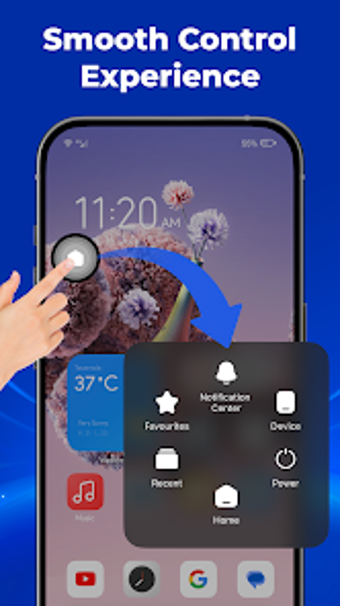
Assistive Menu: Quick Panel brings a floating control surface to Android
Assistive Menu: Quick Panel, by Biomedit LLC, is an Android accessibility utility that replaces or supplements physical buttons to simplify device control. The app places a persistent floating button that exposes navigation actions and quick system controls, plus screen capture and app shortcuts. It supports appearance adjustments and gesture mappings, making it suitable for one-handed use on large phones and for users with damaged hardware keys. That reduces physical device wear and gives immediate access without relying on hardware keys.
What does Assistive Menu actually provide?
Assistive Menu operates as a floating control surface that consolidates navigation, system toggles, and media tools into a single overlay. From any screen the movable button opens actions such as Home, Back, Recent Apps, screen lock, and quick access to connectivity and media settings. The panel includes screenshot and screen-recording triggers and supports pinned app shortcuts. Notable components:
- Virtual navigation buttons
- Quick setting toggles
- Screen capture and recording
Is granting overlay and accessibility permissions safe?
The app requires the Display over other apps permission and the Accessibility Service API to implement navigation actions like Back and Home, which Biomedit uses for system-level gestures. The developer states that no personal information is collected through that service. Enabling the screen-lock feature can prompt Device Administrator permission, and that permission must be deactivated before uninstalling. These requirements provide deep control while demanding explicit user consent.
Do I need technical skill, and how does it affect physical buttons?
The tool targets people who need a software alternative to failing hardware keys or easier one-handed reach on large screens. Gesture mapping supports single-tap, double-tap, and long-press assignments, and appearance options let the overlay match an interface theme. Basic configuration requires a short setup session to assign shortcuts, while more detailed layouts and gesture rules offer fine-grained control without involving advanced system tools.
Suitable for users who accept elevated permissions in exchange for alternate controls
Assistive Menu is a pragmatic option for Android users who need a software replacement for failing or hard-to-reach hardware keys. The trade-off is the elevated permissions required to function fully, including overlay and accessibility grants and a Device Administrator step for screen-lock features. For users willing to approve those controls, the app supplies a dependable alternative interaction layer. Recommended.